
Fineasy
Finance

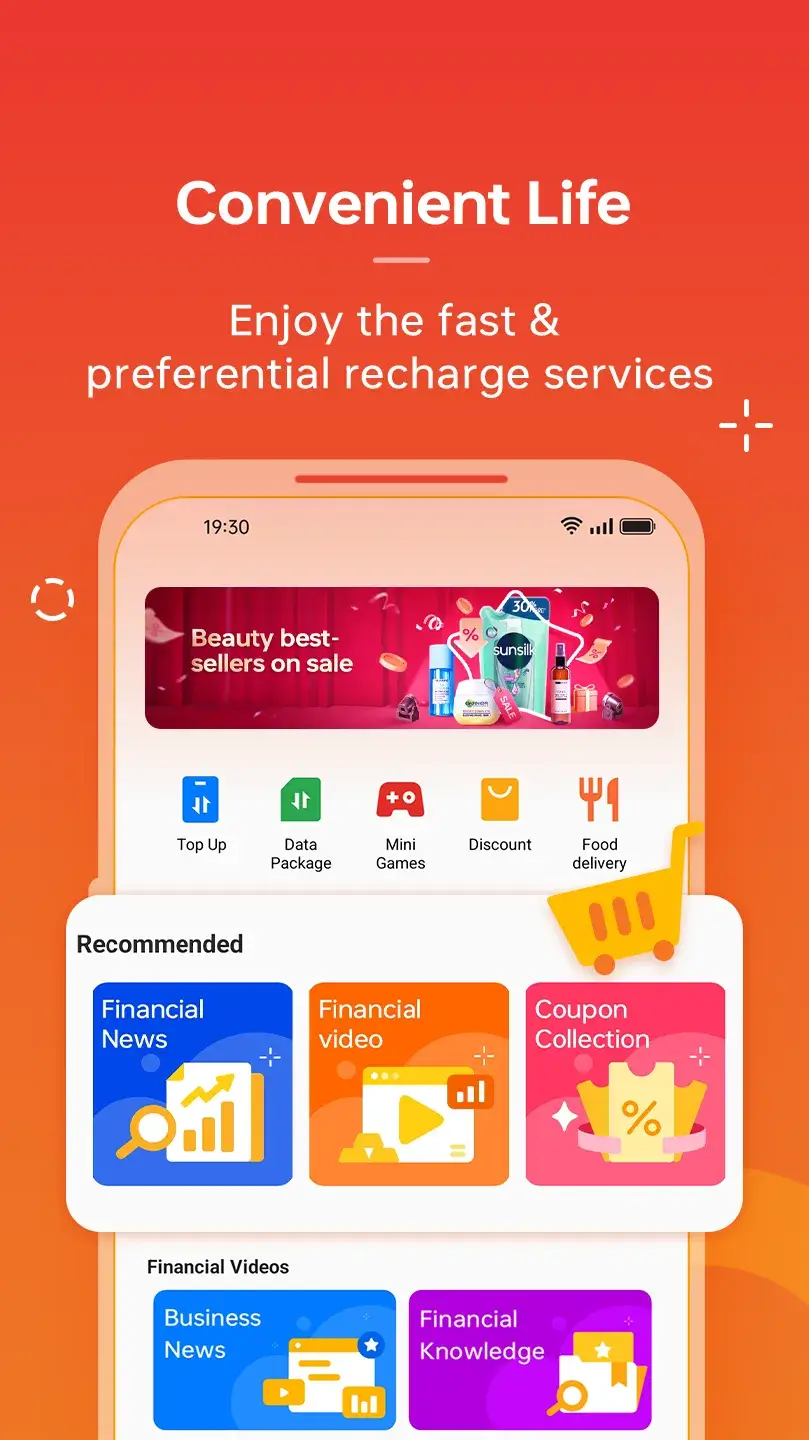


Fineasy is a finance‑focused Android app designed to simplify everyday money tasks. It lets you monitor loans, discover savings coupons, and connect with professional financial services—all from a single interface.
This page provides the latest APK details, installation guide, compatibility notes, and an honest look at safety and alternatives.
Quick Information
| App/Game Name | Fineasy |
| Latest Version | 2.5.43 |
| Developer | Not listed |
| Category | Apps / Finance |
| App Size | 35 MB |
| Package Name | com.fintech.life |
| Last Updated | 24 September 2025 |
What Is Fineasy?
Fineasy acts as a personal finance sidekick. Its core functions include:
- Loan tracking – keep an eye on outstanding balances and repayment schedules.
- Savings coupons – browse exclusive offers that can reduce expenses.
- Financial services hub – access a curated list of expert advisors and tools.
The app targets users who want a single place to oversee multiple money‑related activities without juggling several separate apps. It does not replace a full‑featured accounting suite, and advanced budgeting or investment tracking features are limited.
Compatibility
| Android Version | ✓ Verified — 6.0 and up |
| Architecture (ARM64 / 32-bit) | ✓ Verified — Supports common device architectures |
| Internet Connection | ✓ Verified — May be required for ads, updates, or login |
| Storage Needed | Not Verified |
| OBB/Data Files | Not Verified |
| Root Required | Not Verified |
How to Install
- Enable Install unknown apps for the browser or file manager you’ll use (Settings → Security → Install unknown apps).
- Download the Fineasy APK file to your device.
- Open the downloaded file and tap Install.
- Once installation finishes, launch Fineasy from the app drawer.
- Follow the on‑screen setup to grant necessary permissions (e.g., storage for saving receipts).
Troubleshooting
- App not installed – Verify that the APK matches your device’s architecture (ARM vs. x86) and that you have enough free storage.
- Crashes on startup – Clear app data (Settings → Apps → Fineasy → Storage → Clear data) and try reinstalling.
- Features not loading – Ensure a stable internet connection; some services require online verification.
- Login problems – Double‑check your credentials and make sure you’re using the latest version.
Safety & Security
Fineasy is an unmodified APK, but as with any third‑party source, you should verify the file’s integrity before installing. Check the file’s SHA‑256 hash against a trusted source if available, and scan it with a reputable mobile antivirus app. Pay attention to the permissions the app requests; it should only need access to storage, network, and possibly contacts for sharing financial tips.
Because the app handles personal financial data, avoid entering sensitive information (e.g., passwords, banking credentials) unless you’re confident about the source and have a secure device.
How Fineasy Compares
| Feature | Fineasy | Mint | PocketGuard |
|---|---|---|---|
| Price / Free model | Free (ad‑supported) | Free with optional premium | Free with premium upgrade |
| Platform availability | Android only | Android, iOS, Web | Android, iOS |
| Standout feature | Integrated coupon savings | Comprehensive budgeting & bill tracking | Real‑time spending alerts |
| Best for | Users who want quick loan monitoring and coupon deals | People looking for full‑budget management | Those who need instant overspend warnings |
Alternatives
- Mint – A widely used budgeting app that aggregates bank accounts, credit cards, and bills into one dashboard.
- YNAB (You Need A Budget) – Focuses on proactive budgeting with a zero‑based approach, ideal for users who want to plan every dollar.
- PocketGuard – Offers simple expense tracking and real‑time alerts to prevent overspending.
- Personal Capital – Combines budgeting with investment tracking for a broader financial overview.
Final Verdict
Fineasy is a lightweight, free Android app that works well for basic loan tracking and coupon‑based savings. It lacks the deep budgeting tools of competitors like Mint or YNAB, so it’s best suited for users who need a quick financial snapshot rather than a full‑scale money manager. Verify the APK’s source, review permissions, and ensure your device meets the Android version requirements before installing.
Frequently Asked Questions
Only install the APK from a trusted source, scan it with an antivirus app, and review the permissions it requests before proceeding.
Fineasy runs on Android 5.0 (Lollipop) and newer, but newer versions may provide a smoother experience.
An internet connection is required for coupon updates and accessing expert financial services; core loan tracking works offline.
Download the latest APK from the same trusted source and reinstall; the installer will replace the old version while keeping your data.
The app stores data locally on your device; any cloud features depend on the optional services you connect to.
Yes, Fineasy can coexist with other finance apps, but avoid duplicate loan entries to prevent confusion.
This can happen if the APK is corrupted, not compatible with your device’s CPU architecture, or if you lack sufficient storage space.
The app may request storage permission to save coupon details; no root or special system permissions are required.